
In today’s world, security is a top priority for both homes and businesses. If you are considering installing security cameras, it is crucial to plan carefully to ensure maximum protection and efficiency.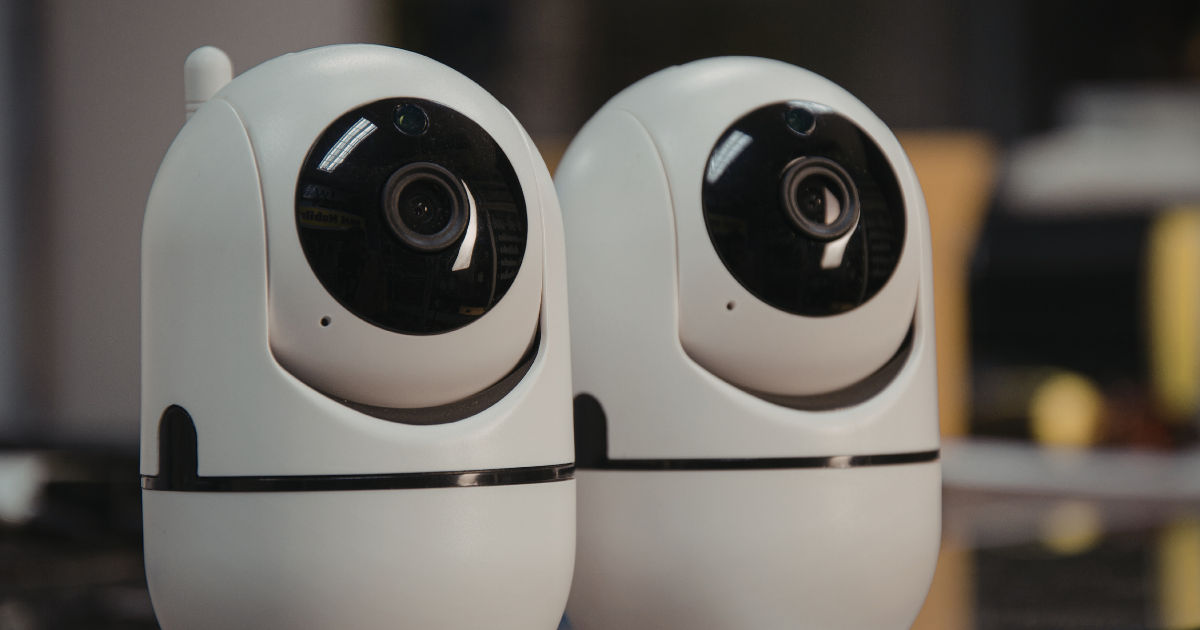
Security cameras installation in Orlando requires proper preparation, knowledge of equipment, and an understanding of legal and practical considerations.
This comprehensive checklist will guide you through every step of the process so you can make informed decisions and maintain a secure environment.
Why Security Cameras Are Essential
Security cameras act as a deterrent against theft, vandalism, and other criminal activity. They provide peace of mind by allowing property owners to monitor their premises in real time or review recordings when necessary. Beyond safety, they can also improve operational efficiency for businesses and help in monitoring employees, customers, or visitors.
Choosing the right cameras and installing them correctly is key. Poor installation can lead to blind spots, low-quality footage, and overall ineffective surveillance.
Step 1: Assess Your Security Needs
Before purchasing cameras, you need to evaluate your security requirements. Ask yourself these questions:
-
What areas do I need to monitor?
-
Do I want indoor, outdoor, or both types of cameras?
-
Should the cameras be visible for deterrence or hidden for discreet monitoring?
-
Do I need live monitoring or only recordings for review later?
For security cameras installation in Orlando, outdoor cameras should be weatherproof and have night vision capabilities. Indoor cameras can focus on areas like entrances, cash registers, or hallways.
Step 2: Decide on Camera Types
There are several types of security cameras, each with unique features. Knowing which type fits your needs is crucial:
-
Dome Cameras: Compact and ideal for indoor surveillance. Their shape makes it hard to tell which direction the camera is pointing.
-
Bullet Cameras: Cylindrical cameras often used outdoors. They provide long-distance viewing and are visible, which helps deter criminals.
-
PTZ Cameras: Pan, Tilt, Zoom cameras can rotate and cover wide areas. Great for large properties.
-
IP Cameras: These cameras connect to your internet network, offering high-quality video and remote access.
-
Wireless Cameras: Easy to install but may face connectivity issues.
Choosing the right type ensures you capture clear footage and avoid unnecessary equipment expenses.
Step 3: Identify Ideal Locations
Proper placement is critical for effective surveillance. Consider the following for your security cameras installation in Orlando:
-
Entrances and Exits: Doors, gates, and windows are primary targets for intruders.
-
Driveways and Parking Areas: Monitor vehicles and visitors.
-
High-Value Areas: Safes, offices, cash registers, and storage rooms.
-
Blind Spots: Corners, backyards, and alleys that are not easily visible.
-
Elevated Areas: Mounting cameras higher prevents tampering.
Mapping your property and marking key camera positions ensures full coverage and reduces blind spots.
Step 4: Check Legal Considerations
Florida has laws regulating surveillance. To comply:
-
Avoid recording audio without consent; it is illegal in many states.
-
Do not install cameras in private areas like bathrooms or bedrooms.
-
Inform employees or tenants if cameras are present.
Understanding legal boundaries prevents potential lawsuits and ensures ethical monitoring.
Step 5: Choose the Right Equipment
Selecting high-quality equipment ensures longevity and reliable performance:
-
Resolution: Look for at least 1080p for clear video.
-
Night Vision: Infrared or low-light cameras help capture images at night.
-
Storage: Decide between cloud storage or local DVR/NVR systems.
-
Connectivity: Wired systems are more reliable; wireless systems are easier to install.
-
Power Supply: Check if cameras are powered by electricity, PoE (Power over Ethernet), or batteries.
Investing in quality equipment saves money in the long run and ensures your surveillance system is effective.
Step 6: Plan the Installation Process
Before physically installing cameras, create a detailed plan:
-
Measure distances for wiring or Wi-Fi range.
-
Decide on angles to cover the maximum area.
-
Test visibility by temporarily mounting cameras.
-
Plan power access to ensure each camera has a reliable power source.
Proper planning minimizes errors during installation and reduces the need for repositioning cameras later.
Step 7: Install Cameras
Follow these steps for a smooth installation:
-
Mount the Cameras: Use brackets or mounts to secure cameras in the desired locations.
-
Connect Power: Plug in or connect PoE/battery power.
-
Run Cables (if wired): Conceal wires along walls, ceilings, or underground if outdoors.
-
Configure Network: Connect IP or wireless cameras to your Wi-Fi network.
-
Test Angles: Ensure cameras capture the intended areas with no obstructions.
For outdoor cameras, make sure they are weatherproof and securely fastened to prevent tampering.
Step 8: Set Up Monitoring and Storage
Once cameras are installed, configure monitoring and storage:
-
Live Monitoring: Use apps or desktop software to view footage in real time.
-
Recording Settings: Set schedules for recording or motion detection alerts.
-
Storage Management: Decide how long footage will be saved and whether to use cloud or local storage.
-
Remote Access: Enable access from smartphones or computers for convenience.
Regularly review recordings to ensure cameras function correctly and to detect any suspicious activity.
Step 9: Test the Entire System
Testing ensures everything works as intended:
-
Check video quality for clarity and coverage.
-
Test motion detection and alerts.
-
Confirm night vision functions properly.
-
Verify remote access and storage systems.
Testing before relying on the system prevents gaps in security and identifies issues early.
Step 10: Maintain Your Security Cameras
Maintenance is essential to keep your system running smoothly:
-
Clean lenses to prevent blurry footage.
-
Inspect mounts and brackets for stability.
-
Update firmware regularly to enhance security features.
-
Replace faulty cameras or storage devices promptly.
Routine maintenance prolongs the life of your cameras and keeps your property secure.
Step 11: Integrate With Other Security Measures
For a comprehensive security solution:
-
Combine cameras with alarms, motion sensors, and smart locks.
-
Use signage indicating surveillance to deter criminals.
-
Implement security policies for employees or family members.
-
Consider professional monitoring services for 24/7 surveillance.
Integration improves overall protection and ensures you have multiple layers of security.
Step 12: Budgeting and Cost Considerations
Budgeting is important to avoid overspending:
-
Cameras: $50–$500 per camera depending on features.
-
Installation: Professional services range from $100–$500 per camera.
-
Storage: Cloud plans may cost $10–$50 per month.
-
Accessories: Brackets, cables, and power supplies may add extra costs.
Planning your budget helps you select cameras that meet your needs without compromising quality.
Step 13: Hiring Professional Installers
While DIY installation is possible, professionals can provide expertise:
-
Proper mounting and alignment.
-
Optimized network setup.
-
Compliance with local regulations.
-
Faster troubleshooting and setup.
Hiring a trusted security company in Orlando can save time and ensure your system is reliable.
Step 14: Security Tips Beyond Cameras
Cameras alone do not guarantee security. Complement them with these measures:
-
Lock doors and windows properly.
-
Use motion-activated lights outdoors.
-
Maintain clear sightlines by trimming bushes and trees.
-
Implement access control systems for offices or gated properties.
A layered approach ensures maximum safety.
Conclusion
Investing in security cameras installation in Orlando is a smart decision for homeowners and business owners alike. Following this comprehensive checklist—from assessing needs to choosing equipment, planning installation, and maintaining the system—ensures you get the most effective surveillance solution. Proper placement, high-quality equipment, and integration with other security measures can prevent theft, monitor activities, and provide peace of mind. Whether installing cameras yourself or hiring professionals, careful planning and regular maintenance are key to keeping your property safe.
By following these steps, you can create a secure environment for your family, employees, and assets while making the most out of your investment in surveillance technology.